The AI creative week: image edits, captions and music in Ableton
November 7–13: Seedream 5.5, Scribe v3, the Seedance Flash schedule and Friday’s Suno Bridge launch. What to check before using them, with a practical plan for finishing a short video.
The useful theme of November 7–13 is finer control over individual parts of a creative project: an image edit, a video preview, a transcript and a missing musical part. This Friday roundup connects the week's announcements into a practical workflow. Links to our existing detailed articles appear in the sources section below; those reports have not been republished as new pages.
Friday: Suno Bridge reaches Ableton
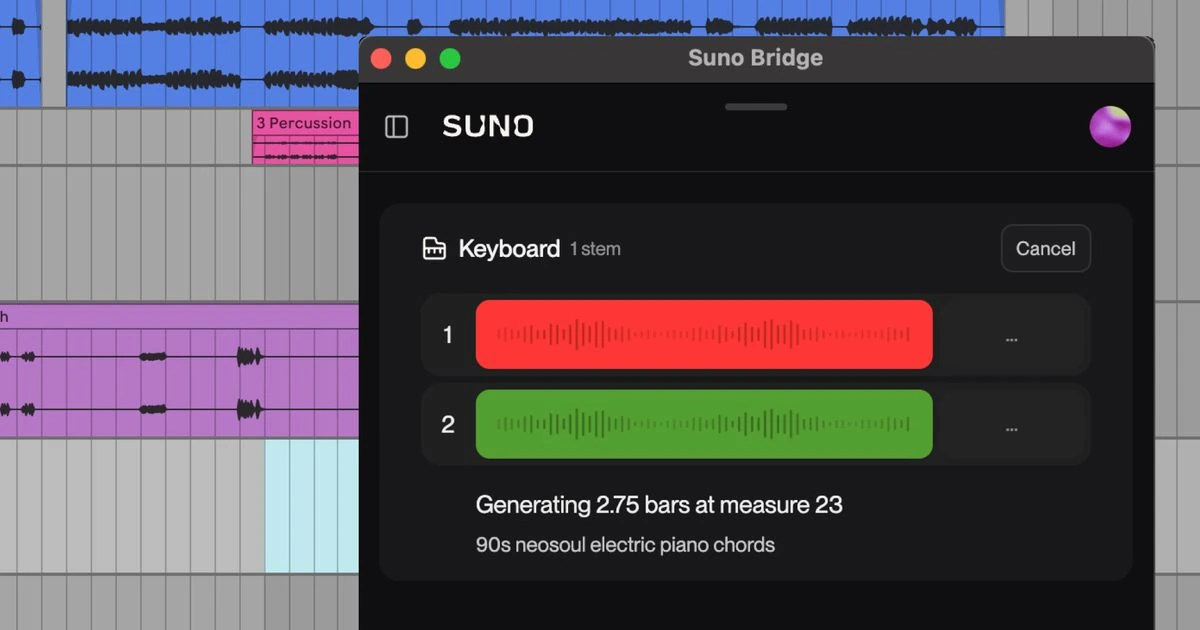
On November 13, Suno introduced Bridge, a standalone application running alongside Ableton Live 12 on Mac. The beta is included with Premier. Synchronization uploads session files to Suno, using project context to generate instrumental and vocal parts. Loop markers in Arrangement View define the requested section. Support for Windows and other DAWs remains a future direction.
Our suggested starting point is a copy of your own practice project: a short passage with a clear rhythm and one missing part. Compare alternatives inside the original mix, not only in isolation. Check permission to share its contents before uploading any client session.
Images: define what must stay unchanged
ByteDance introduced Seedream 5.5 on November 9. Its official description highlights successive image edits and RGBA transparency. These are relevant to covers, product shots and assets intended for later compositing. Our November 9 Seedream 5.5 report covers the announcement in more detail.
The editorial takeaway is to list the elements that must remain fixed before requesting an edit. For a product photograph, that might mean the package shape, lettering and lid position. Separately list the intended changes: background, light direction and shadow. Keep the original, then examine unchanged details as closely as the attractive new area.
Speech: a transcript is not finished captions
ElevenLabs announced Scribe v3 on November 10. Standard Scribe v3 handles recorded speech, while Scribe v3 Live addresses real-time transcription. This is speech recognition, rather than a new voice-generation model. Our separate report this week considers captions and podcasts.
During editing, separate word accuracy from reading comfort. Listen for names, numbers and speaker changes first. Then review line lengths and the timing of text appearing on screen. An accurate transcript can still make poor mobile captions if a line obscures a face or disappears too quickly.
Video: an announcement is not API access
Yesterday's Seedance 2.5 Flash report explains how to plan video previews. The BytePlus documentation, checked again on November 13, still schedules API access for November 15 at 14:00 UTC+8, or 06:00 UTC. A future launch date cannot be treated as availability today.
When choosing a preview tool, check the exact model variant and settings. A useful draft establishes a direction; it does not guarantee an identical result from a fresh final generation.
A weekend project: finish one small video
- Choose your own photograph and one clear story. Decide the frame format, duration and space for titles before generating anything.
- Treat image edits separately from motion. After each edit, compare the face or product against the original at the same viewing scale.
- Give a video preview one action and one camera movement. Keep the model, settings, prompt and complete reference set beside the selected result.
- Assemble the edit before reviewing speech, captions and music together. Watch with headphones and with the phone speaker.
- Review the entire exported file: opening, transitions, final frame, text legibility and unexpected details.
This is an editorial work plan, not a report of paid tests of the new models. The roundup does not announce their integration into VIZURAI. The shared button below opens the video studio; choose an available tool and check its current cost before starting.
Create your own result
Choose an available model and check its price in the studio.
Sources
- Suno — Bridge announcement, 13 November 2026 Published by the source:
- ByteDance Seed — Seedream 5.5, 9 November 2026
- ElevenLabs — Introducing Scribe v3, 10 November 2026
- BytePlus ModelArk — Seedance 2.5 documentation; checked 13 November
- VIZURAI — Seedream 5.5: подробный разбор / detailed report
- VIZURAI — Scribe v3: субтитры и подкасты / captions and podcasts
- VIZURAI — Seedance 2.5 Flash: видеопробы / video previews