Scribe v3: what changes for captions, podcasts and interviews
ElevenLabs updated recorded and live speech recognition. Here is what speaker labels mean for caption editing and how to assess the result on your own interview.
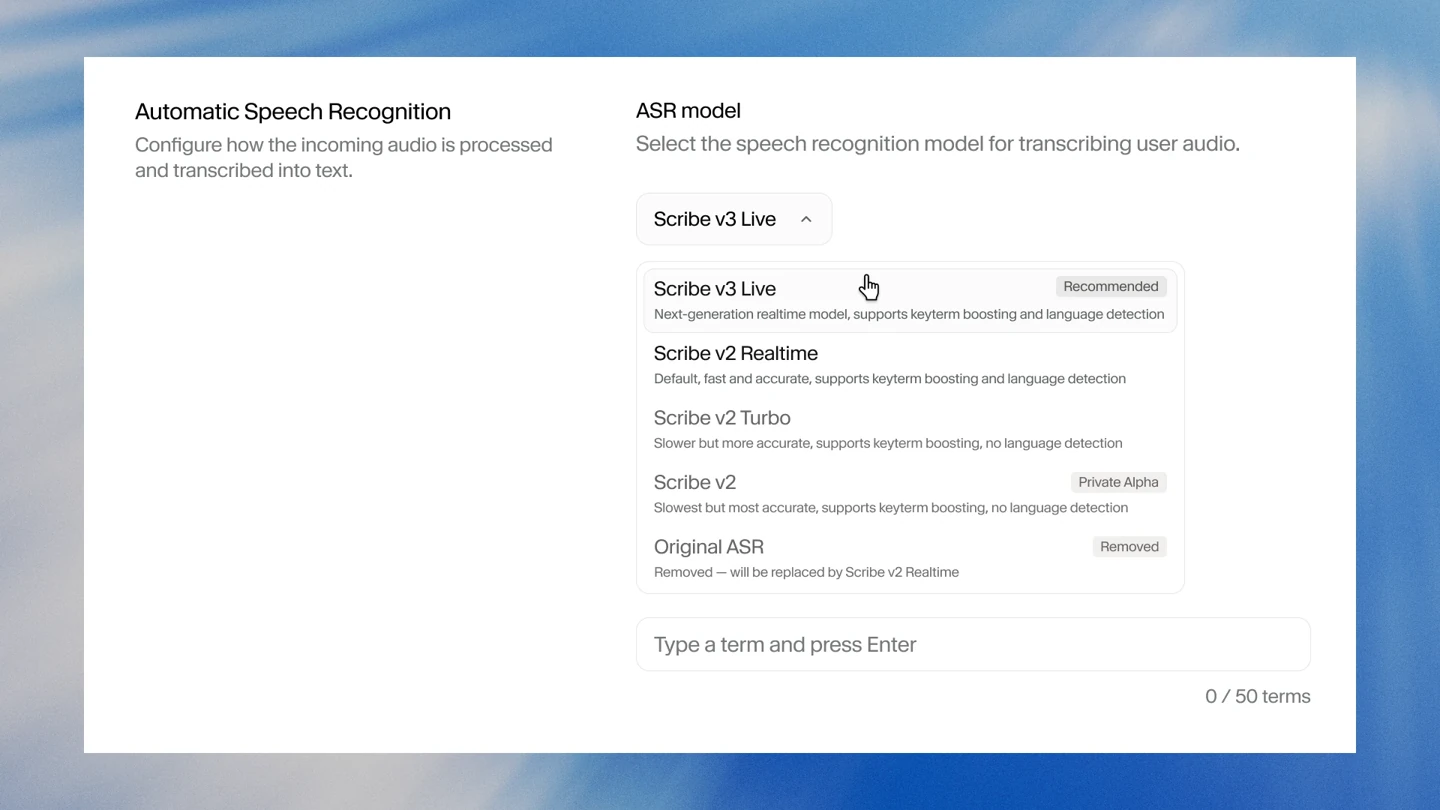
On November 10, ElevenLabs introduced Scribe v3 for recorded audio and Scribe v3 Live for real-time speech. For interview, podcast and short-video creators, the useful outcome is a transcript that needs fewer corrections before it becomes captions, episode notes or a selection of clips. A mistaken name or number can otherwise travel into every derivative asset.
What changed
ElevenLabs reports 27% fewer word-recognition errors than Scribe v2 on its FLEURS evaluation across 102 languages. That is a relative improvement in the developer's benchmark, not a guarantee of flawless transcripts for every recording. Results on clean speech should not be assumed to describe an interview containing music, street noise and overlapping voices.
The standard v3 model processes recorded files. Live handles incoming speech and adds speaker labels and context-aware detection of completed turns. Start with the production task: transcribing an edited episode or displaying text during a conversation. A low-latency stream is not automatically the better choice when the recording already exists and an editor can review the result.
What matters in the edit
Scribe's documentation describes word-level timestamps and speaker separation for recorded audio, with support for up to 32 speakers. These features can help locate a quote in a long interview. A speaker identifier still needs to be checked against the person who actually spoke; it is not a substitute for editorial attribution.
Hints for expected names and terminology can guide recognition. Number-formatting options allow digits or words, while a disfluency-removal mode can make the text easier to read. Preserve a verbatim copy first when preparing a documentary quotation. Improving readability should not quietly change what the contributor said.
A practical check with your own recording
The following is an editorial review method, not a report of our own model test.
- Choose a short, complete sample containing a guest introduction, an exchange between two speakers and a passage with numbers. Keep the original sound without another compression pass.
- List names, brands and unusual terms that actually occur. A large block of promotional copy is less useful than a focused set of recognition hints.
- Listen while checking the transcript. Count omissions, substituted words and misassigned turns separately so you can see what saves editing time.
- Check each caption's start and end in your editing application. Accurate transcription alone does not provide comfortable line breaks or enough reading time.
- Watch the finished clip on a phone with the sound off. Make sure app controls do not cover the captions and that each phrase remains understandable without the preceding shot.
What still needs an editor
Scribe converts speech into text. It does not generate a new voice or automatically translate the recording. Selecting excerpts, checking quotations and editing the resulting copy remain separate tasks. Another language requires a translation step; a new voice track requires speech synthesis.
Before processing a full episode, compare the time required to correct the same sample rather than relying on a headline percentage. Check the charges for optional features as well: the documentation identifies additional costs for keyterm prompting and transcript editing. This article covers ElevenLabs' announcement and does not announce Scribe v3 availability in VIZURAI.
Create your own result
Choose an available model and check its price in the studio.
Sources
- ElevenLabs — Introducing Scribe v3 and v3 Live; 10 November 2026 Published by the source:
- ElevenLabs Documentation — Transcription: models, timestamps, language and optional features
- ElevenLabs — Speech to Text API: recorded content, speakers and formats
- ElevenLabs — Speech to text for content creators; updated 5 November 2026 Published by the source: