Product composition
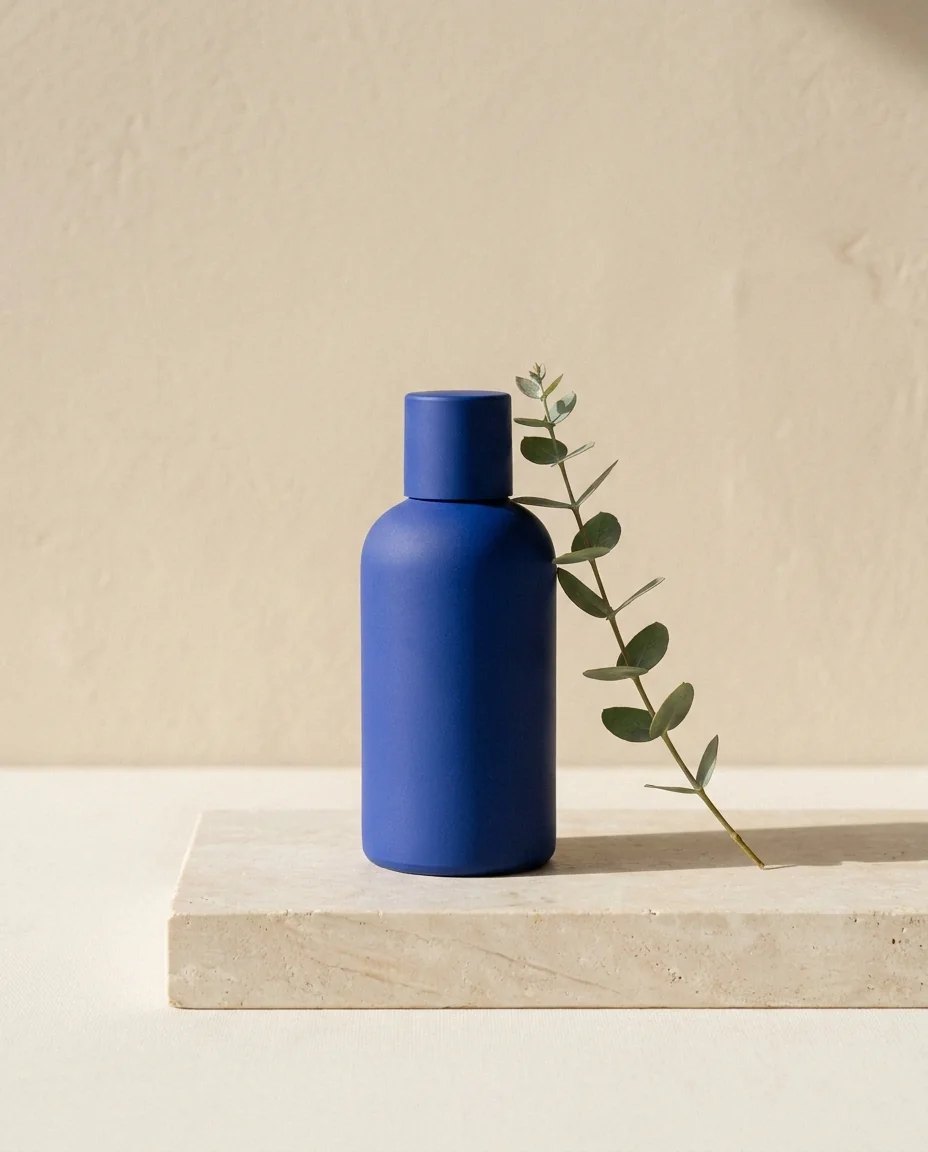
An unlabelled matte blue bottle on pale stone beside a sprig of eucalyptus. Soft daylight from the left, beige background and gentle natural shadows. Vertical composition, no people or logos.
VIZURAI / WORKFLOWS / 01
Start with what belongs in the frame. A subject, setting and lighting describe your idea more clearly than a long list of adjectives.
Open image studio ↗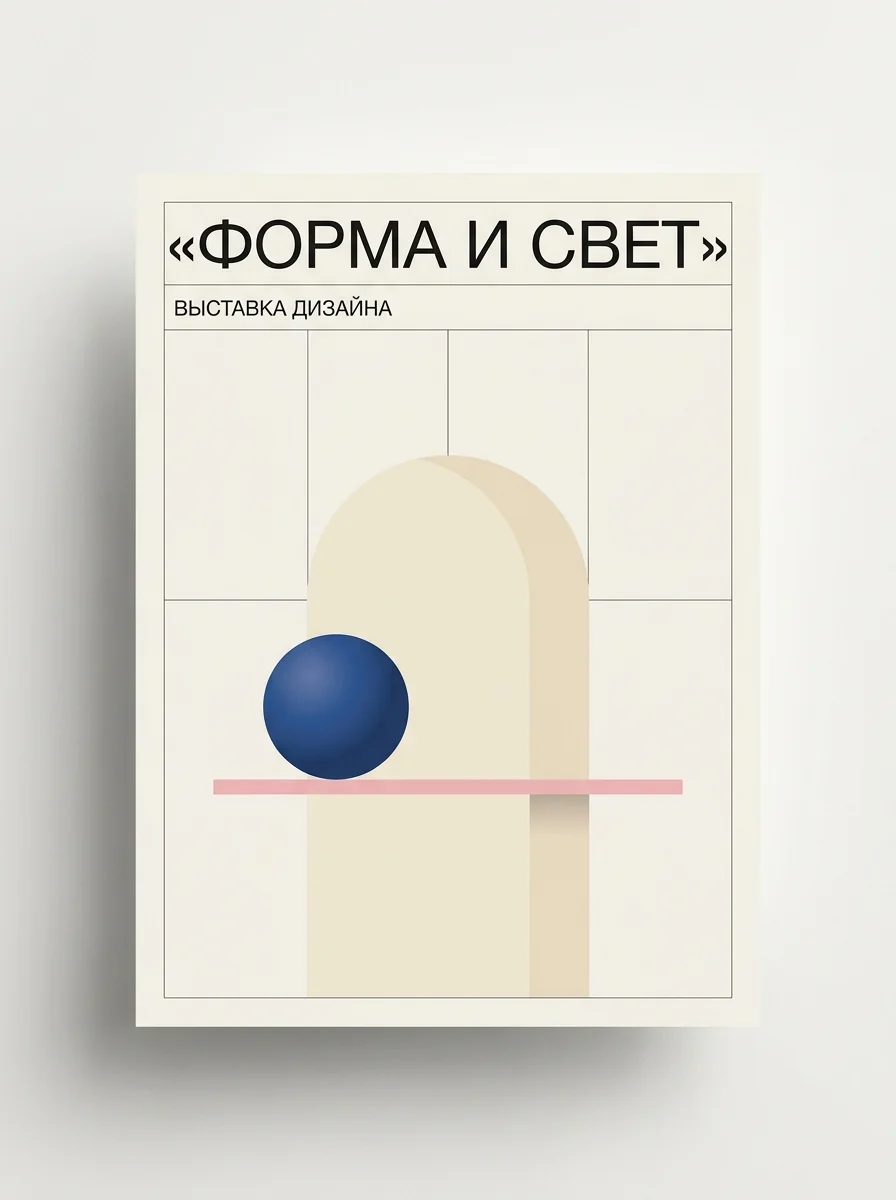
CASE STUDY RESULT
Testing Cyrillic lettering and composition: a fictional design exhibition, geometric forms and two specified text lines.
Case: prompt and settings ↗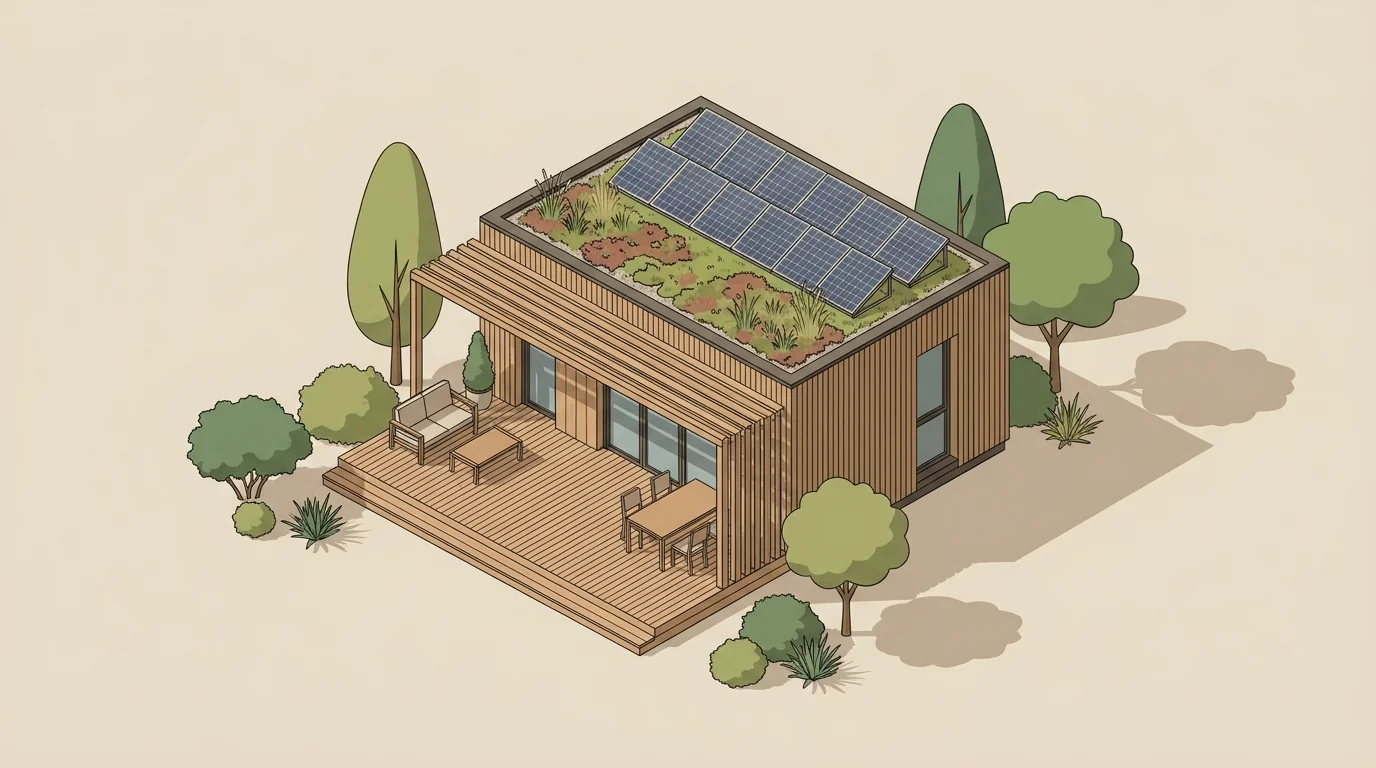
CASE STUDY RESULT
An isometric illustration with a wooden facade, terrace, planted roof and solar panels in a 16:9 frame.
Case: prompt and settings ↗These are example input texts, not guaranteed results. Adapt them to your materials and selected model.
An unlabelled matte blue bottle on pale stone beside a sprig of eucalyptus. Soft daylight from the left, beige background and gentle natural shadows. Vertical composition, no people or logos.
A small hilltop observatory under a starry sky. Soft-edged paper illustration in deep blue and warm yellow. Main subject on the right, left third clear for a headline. No text.
Avoid incompatible camera angles and styles in one prompt. Leave space for exact lettering or a logo and add it during layout. One successful image does not guarantee repeatability.
Do not include passwords, identity-document details or other people’s personal data without an appropriate basis. The connected AI provider receives the materials needed for the task. Automatic masking does not detect all sensitive content in text, images or audio.
Transfers and retention periods →Not for text-to-image generation. Use reference-based editing to preserve a particular object or composition.
Identical wording does not guarantee an identical result. Keep useful settings and download the files you need.
Open the tool and check the available model and settings. Pricing is shown before confirmation. Submission requires an account; new accounts cannot be created while registration is closed. Viewing this guide and copying examples do not start a generation.
PricingYOUR TURN
IMAGES
Show the product clearly first, then in context. A real listing needs faithful product details as well as an attractive composition.
IMAGES
A cover has one job: communicate the topic quickly. Choose a main visual and space for the headline before adding decoration.

IMAGES
Separate what should change from what must remain. This matters for products, clothing and interiors, where an invented detail can misrepresent the subject.